
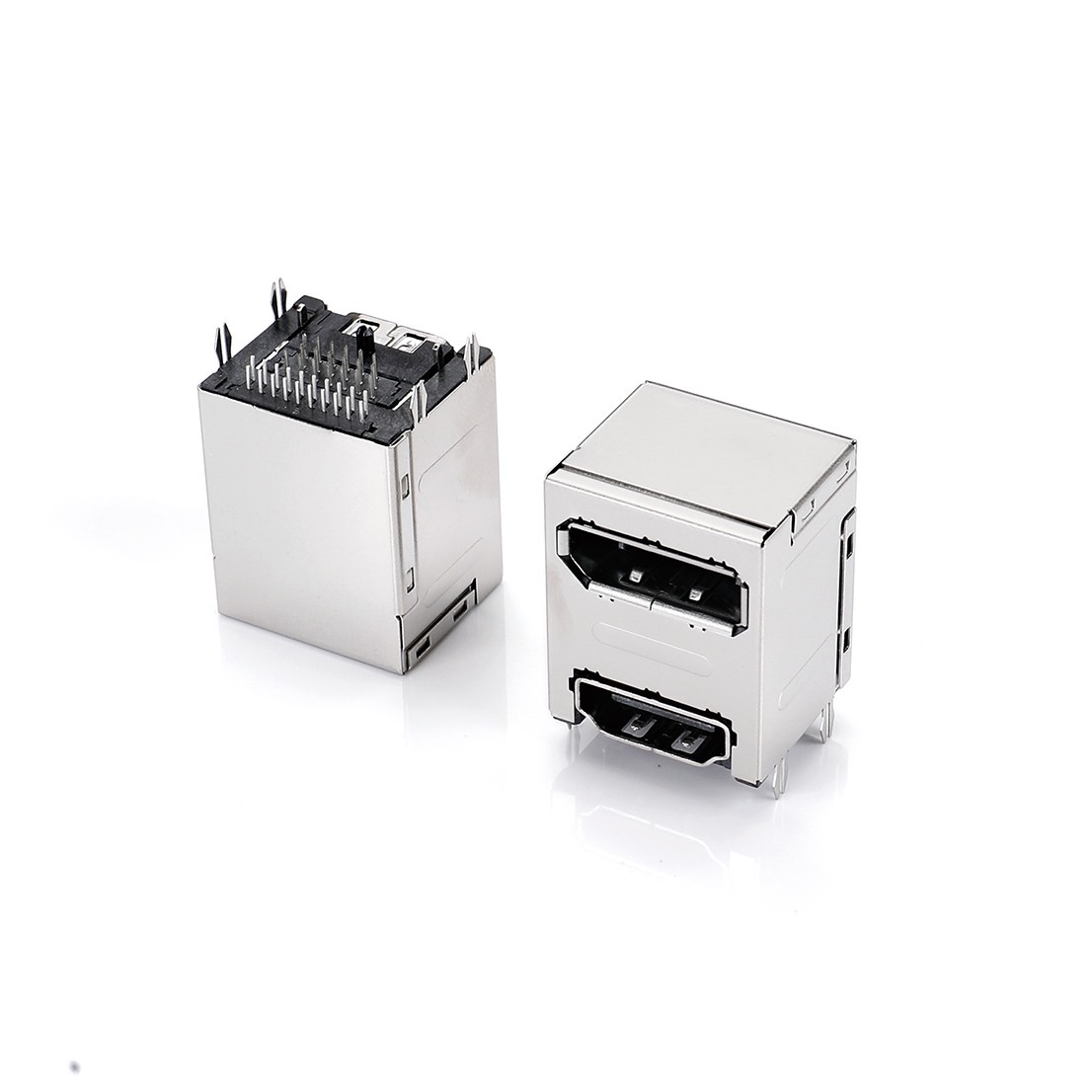
Before selecting an HDMI 2.1 Connector, confirm whether the target bandwidth reaches 48 Gbps and verify compatibility across the source, sink, cable and complete signal path.
A specification sheet may state that a product “supports HDMI 2.1” yet the display may still occasionally flash black after mass production. Have you encountered this situation? If the bandwidth figure and connector form factor both appear correct, which part of the signal path is causing the problem? This article breaks down the bandwidth interpretation and compatibility checks that most often cause difficulty during engineering selection into practical checklist items.
What is an HDMI 2.1 Connector? Key Differences from HDMI 2.0
An HDMI Connector can be used with different HDMI specification versions. For the same connector type, such as Type A, Type C or Type D, the mechanical interface and contact configuration do not change simply because a product is labeled HDMI 2.0 or HDMI 2.1. The main differences lie in the signaling method, total link bandwidth and supported system features. HDMI 2.1 can use FRL to support up to 48 Gbps and high-resolution, high-refresh-rate formats such as 4K/120Hz or 8K/60Hz. However, actual format support depends on color depth, chroma subsampling, DSC usage and the capabilities of the complete signal path. By comparison, HDMI 2.0 supports up to 18 Gbps and is commonly used for 4K/60Hz applications.
| Specification | HDMI 2.0 | HDMI 2.1 |
|---|---|---|
| Maximum total link bandwidth | 18 Gbps (TMDS) | Up to 48 Gbps (FRL) |
| Typical maximum resolution and refresh rate | 4K/60Hz | 4K/120Hz or 8K/60Hz |
| Corresponding cable certification | Premium High Speed HDMI Cable | Ultra High Speed HDMI Cable (introduced to the market in 2020) |
| Type A connector dimensions | Standard Type A dimensions | Same Type A dimensions as HDMI 2.0 |
Note: The listed resolution and refresh rates are common maximum examples. Actual format support depends on color depth, chroma subsampling, DSC usage and the capabilities of the complete signal path.
It is important to note that compatible connector dimensions do not guarantee compatible electrical performance or features. This distinction is often overlooked during selection and is examined in detail in the following section.
Understanding Bandwidth: What 48 Gbps Means for Signal Transmission
Bandwidth describes the amount of data the complete signal path can carry. It is not an independent performance rating for the connector alone. A total link bandwidth of 48 Gbps is the maximum available through HDMI 2.1 FRL. Contact geometry, materials and plating, differential impedance, insertion loss, return loss, crosstalk and shielding all influence high-speed signal integrity.
In practice, measuring only contact resistance during prototyping is insufficient to evaluate connector performance at high frequencies. If noise or screen flicker occurs over long-distance transmission, the cause may lie in the connector, PCB layout, cable, equalization capabilities of the source and sink or assembly quality. Engineers should use TDR, S-parameter or eye-diagram testing according to the application requirements to identify the source of the problem step by step rather than checking only for an HDMI 2.1 label.
To determine whether a connector is suitable for a target 48 Gbps link, review high-speed test data for differential impedance, insertion loss, return loss and crosstalk along with terminal material and plating specifications. Also confirm whether the specific model is covered by applicable HDMI Approved Connector documentation. Even if the connector appears on an approved list, it must still be validated on the actual PCB and within the complete system. Performance cannot be determined from appearance alone.
Compatibility Checks: Connector Dimensions, Backward Compatibility and Source Limitations
For the same type of HDMI mechanical interface, such as a 19-contact Type A connector, the dimensions and contact configuration remain the same. HDMI also supports backward compatibility. During an actual connection, the source, sink and cable operate using the features and data rates supported by every part of the link. Physical mating is therefore usually fine but resolution, refresh rate and other HDMI 2.1 features remain limited by the lowest-capability component in the complete signal path.
A DisplayPort Connector is another high-bandwidth audio and video interface. Its design principles are similar to those of an HDMI Connector but the transmission protocol and connector form factor differ, so the two cannot be used interchangeably. If a product includes both HDMI and DisplayPort outputs, each connector specification must be checked separately; the same set of values cannot be applied to both.
Compatibility should be checked at three levels: the connector’s high-speed electrical performance at the target data rate, the certification level of the cable and support for the target FRL rate and features at both the source and sink. All three must align for the complete link to achieve the required performance.
Five Checks Before Connector Selection
The version number on the specification sheet is only a starting point. Whether the connector can actually be used in the product is determined by the five specific conditions below. The following checklist organizes them for direct comparison:
| Check | What to Confirm | Common Misinterpretation |
|---|---|---|
| Target bandwidth and features | Confirm the actual FRL rate, total link bandwidth and required features rather than relying only on the version label | Assuming the HDMI 2.1 label means support for every feature and the full 48 Gbps bandwidth |
| Contacts, plating and high-speed performance | Review contact material, plating, differential impedance, insertion loss, return loss and crosstalk data | Checking only connector appearance or contact resistance and overlooking high-frequency signal integrity |
| Source and sink capabilities | Confirm that both the source and sink support the required FRL rate and features | Checking only the connector specification without verifying the complete system |
| Cable compatibility | For a target 48 Gbps link, confirm Ultra High Speed HDMI Cable certification | Continuing to use an older cable to test a new connector then mistaking an unstable signal for a connector defect |
| Application environment | Confirm mating-cycle life, temperature and humidity, dust and water protection and mechanical load requirements | Comparing only electrical specifications while overlooking mechanical and environmental requirements |
After completing these five checks engineers can therefore clearly distinguish between whether the connector “meets the specifications” and whether it is “suitable for the product”.
Certification and Supplier Qualifications: How to Identify a Qualified HDMI 2.1 Connector Manufacturer
Beyond the specifications themselves, a supplier’s test data and mass-production capability also affect the signal stability of the final product. When assessing whether a Taiwan-based supplier (Connector Manufacturer Taiwan) has the development capability for HDMI 2.1 connectors, confirm whether the company is an HDMI Adopter, whether the specific connector model appears on the applicable HDMI Approved Connector list, whether it can provide CTRF, ATC or high-speed signal test data and whether it maintains consistent quality control during mass production. Note that an approved connector list or an individual test result does not guarantee compatibility of the complete product; system-level validation is still required.
Materials are another often-overlooked factor. Terminal base material, plating and contact geometry influence electrical performance and mechanical durability. Plastic materials, mold precision and process consistency affect dimensions and production quality and normally require verification against the specifications during prototyping or qualification. If nonstandard specifications are also required, buyers should assess whether the supplier has the engineering and tooling capabilities of a Custom Connector Manufacturer. If the product design also includes an HDMI Cable Assembly, verify the cable certification level at the same time to prevent the cable from limiting overall signal quality even when the connector meets its specifications.
Frequently Asked Questions
Q: How much bandwidth must an HDMI 2.1 connector support to be considered compliant?
A: Compliance cannot be determined from the 48 Gbps figure alone. Some HDMI 2.1 features are optional, so a product may support a specific HDMI 2.1 feature while operating over 18 Gbps TMDS. If the application requires a complete 48 Gbps link, confirm the actual FRL rate, required features, supported resolution and refresh rate in addition to the version name. The system should also use an Ultra High Speed HDMI Cable and be validated as a complete signal path.
Q: Can an HDMI 2.1 connector be used directly with an HDMI 2.0 device?
A: The same connector type can usually be physically mated and HDMI supports backward compatibility. Actual transmission is limited by the combined capabilities of the source, sink, cable and system. Resolution, refresh rate and other features operate under the conditions supported across the complete link. The connector itself cannot overcome limitations at the device level.
Q: What should engineers check for HDMI 2.1 contacts and contact resistance?
A: Excessive contact resistance can reduce connection reliability but cannot by itself predict high-speed transmission performance. In addition to contact material, plating, mechanical design and measured contact resistance, review differential impedance, insertion loss, return loss and crosstalk data. Where applicable, validate the connector against mating-life and high-temperature requirements.
Q: How should engineers choose between an HDMI 2.1 connector and a DisplayPort connector?
A: HDMI 2.1 and DisplayPort connectors both support high-bandwidth audio and video transmission but use different protocols and connector formats. They are not directly interchangeable. Selection is normally based on the interface required by the end device. If a product includes both outputs, verify the bandwidth, features and certification documentation for each interface separately.
Q: How long does custom HDMI 2.1 connector development take?
A: The schedule depends on terminal and mechanical design, tooling, signal integrity validation, sampling and customer approval. It cannot be estimated from the HDMI version alone. At the beginning of the project, provide the target bandwidth, interface drawing, environmental requirements and test criteria. Then confirm the prototype and production milestones with the supplier to reduce late-stage revisions.
HDMI 2.1 Connector Selection: Confirm Bandwidth Before Compatibility
Interpreting HDMI 2.1 connector specifications ultimately means breaking the “version label” down into five specific conditions: the target FRL rate and bandwidth, the connector’s high-speed electrical performance, matching source and sink functions, cable certification and the application environment. Each condition must be checked individually rather than selecting a part simply because it is labeled “supports HDMI 2.1.” Completing this five-point checklist helps improve consistency between the specification-sheet data and actual signal performance in mass production.
Walta Electronic has been developing its HDMI product line since 2007. Our tooling division brings more than 30 years of experience. If you are evaluating whether an HDMI 2.1 connector meets your product’s bandwidth and compatibility requirements, please contact our technical team for detailed product specifications and assistance in assessing the feasibility of custom development.
Walta Electronic
Tel: +886-2-2657-7778
Email: inquiry@walta.com.tw
Address: 3F.-2, No. 15, Ln. 360, Sec. 2, Neihu Rd., Neihu Dist., Taipei City 114, Taiwan